
Please visit our new TrackAbout Knowledge Base at https://supportkb.trackabout.com for the most-up-to-date documentation on TrackAbout and TrackAbout Mobile.
TrackAbout Certified Devices
Certified Device Policy
TrackAbout maintains a limited list of TrackAbout-certified and supported devices by specific manufacturers.
Decisions about which manufacturers and devices to support is carefully considered. TrackAbout cannot support all mobile devices, due to hardware incompatibilities and variance in operating system supported features.
See Smartphone Hardware Purchasing Recommendations for information about consumer-grade Android and iOS devices.
See #Rugged Android RFID Devices below.
See Certified Rugged Windows Devices (Legacy) for older TAMobile 6 and 5 certified devices.
How to get a device certified by TrackAbout
If a customer wants to use a non-certified device, TrackAbout needs to test and certify the device.
Generally, TrackAbout prefers customers to use already-certified devices whenever possible. However, we do understand that not all of our certified devices are available in all regions of the world.
Customers must provide test devices to TrackAbout for certification at customer's cost. It's best for TrackAbout to be able to keep at least one test device indefinitely to maintain compatibility and be able to offer support should the customer have device-specific issues.
The certification process:
- Research device specifications - A TrackAbout engineer will evaluate the specs and capabilities of the device as advertised by the manufacturer. A particular area of focus is determining whether the device uses custom barcode or RFID scanning hardware. Scanning hardware usually requires software work by TrackAbout. It is necessary to integrate the manufacturer's software development kit (SDK) in order to fully enable the scanning function within TrackAbout's apps. Sometimes, the manufacturer provides a "data wedge" app which can send scans to the TrackAbout app, and integration is not required. This evaluation needs to take place.
- If no custom hardware is present and no custom integration is required, TrackAbout will perform a certification. The customer will be responsible for the cost at the current labor rate. Testing takes between two and ten days and will have a minimum labor charge of 4 hours, possibly more depending on the complexity of the evaluation.
- If custom integration is required, a negotiation regarding the labor requirements and scheduling of the work must take place, taking into account TrackAbout's other development priorities, and the size of the customer opportunity. For custom integration and certification, TrackAbout will require two devices, one for development and one for the QA team. Certification for a new device takes, on average, 16 hours of developer and QA time. However, it could take more time, depending on the complexity. An initial estimate will be provided and a statement of work agreed to before the work may start. The timeframe of the work will also need to be negotiated.
What if I want to use a non-certified device?
If a customer decides to use a non-certified device, TrackAbout Support will be limited and cannot be held responsible for any issues related to the user of the non-certified device.
How to request device certification
Contact the Support team
RFID Scanning Rugged Android Devices
| Make | Model | Operating System Name | OS Version | Features | Supported Scanner Symbologies |
|---|---|---|---|---|---|
| Motorola | TC20 | Android |
| ||
| Zebra | RFD8500 | Android |
|
Barcode Scanning Rugged Android Devices
| Make | Model | Operating System Name | OS Version | Features | Supported Scanner Symbologies |
|---|---|---|---|---|---|
| Motorola | TC56 | Android | 6.0 (Marshmallow) | Built in Barcode Scanner and Rugged. Limited Certification. Not tested for printing. |
|
| Zebra (Motorola) | TC57 | Android | 7.0 (Nougat), 8.0 (Oreo) | Built in Barcode Scanner and Rugged. |
|
| Zebra (Motorola) | TC72 | Android | 7.0 (Nougat), 8.0 (Oreo) | Built in Barcode Scanner and Rugged. |
|
| Zebra (Motorola) | TC77 | Android | 7.0 (Nougat), 8.0 (Oreo) | Built in Barcode Scanner and Rugged. |
|
| Zebra (Motorola) | TC25 | Android | 8.0 (Oreo) | Built in Barcode Scanner and Rugged. |
|
| Zebra (Motorola) | TC26 | Android | Built in Barcode Scanner and Rugged. |
| |
| Zebra (Motorola) | MC3300 | Android | 7.0 (Nougat), 8.0 (Oreo) | Built in Barcode Scanner and Rugged. |
|
| Zebra (Motorola) | MC9300 | Android | 8.0 (Oreo) | Built in Barcode Scanner and Rugged. |
|
| Honeywell | EDA 50 | Android | 7.1.1 (Nougat) | Built in Barcode Scanner and Camera Scanner. |
|
| Urovo | i6310 | Android | 8.1.0 (Oreo) | Built in Barcode Scanner and Camera Scanner. |
|
Consumer Android and iOS Devices
For details on the hardware requirements for smartphone, please see the Android or iOS pages.
Certified Printers
Mobile Receipt Printers
Below are the TrackAbout certified mobile printers for Proof of Delivery (POD) receipt printing.
| Manufacturer | Model | Type | Supported Software |
|---|---|---|---|
| Zebra ZQ520 |  ZQ520 ZQ520
|
Receipt 4" Thermal Printer | TA Mobile 6 (Only Supported on Denso mobile devices)
TA Mobile 7 (Only supported on Android) |
End-of-Life Mobile Printers
The following printers are no longer in production and are not recommended.
| Manufacturer | Model | Type | Supported Software |
|---|---|---|---|
| Datamax O'Neil | 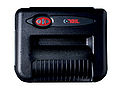 Microflash 8i Microflash 8i
|
Receipt 8" Dot-matrix | TA Mobile 5
TA Mobile 6 |
| DataMax O'Neil | 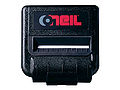 Microflash MF4Te Microflash MF4Te
|
Receipt 4" Thermal Printer | TA Mobile 5
TA Mobile 6 |
| Toshiba |  B-EP4DL B-EP4DL
|
Receipt 4" Printer | TA Mobile 6
TA Mobile 7 This printer is currently only functional with the Denso BHT-1200 rugged handheld device. |
Label Printers
The printers listed below are used for very specific environment and should not be ordered without receiving confirmation from TrackAbout that the application will support the device.
| Manufacturer | Model | Type | Software version |
|---|---|---|---|
| Zebra | RZ400 | RF & Desktop Label Printer | TA Mobile 6 |
| Zebra |  ZT400 ZT400
|
Label 4" Printer | TA Mobile 6, TA Mobile 7 2
(Handheld Compatibility)1 |
| Zebra | ZT410
|
Label 4" Printer | TA Mobile 6, TA Mobile 7 2
(Handheld Compatibility)1 |
1 This printer is currently only functional with the Denso BHT-1200 rugged handheld device.
2 Label printing requires TrackAbout Support to set up label formatting.