
Please visit our new TrackAbout Knowledge Base at https://supportkb.trackabout.com for the most-up-to-date documentation on TrackAbout and TrackAbout Mobile.
TrackAbout Certified Devices
Certified Device Policy
TrackAbout maintains a limited list of TrackAbout-certified and supported devices by specific manufacturers.
Decisions about which manufacturers and devices to support is carefully considered. TrackAbout cannot support all mobile devices, due to hardware incompatibilities and variance in operating system supported features.
See Smartphone Hardware Purchasing Recommendations for Android and iOS devices.
See Certified Rugged Windows Devices (Legacy) for older TAMobile 6 and 5 certified devices.
How to get a device certified by TrackAbout
If a customer wants to use a non-certified device, TrackAbout needs to test and certify the device. This applies to new but also older devices.
Certification consists of testing the device. This takes between 4 and 8 hours, and TrackAbout charges 4 hours of labor. If the test passes, the device is certified. If it fails, development is likely needed and additional costs will likely be incurred.
Certification charges
Unless the device is a replacement of a popular device, the customer requesting certification will be responsible for the cost. Typical charges for the initial certification test is 4 hours at the current labor rate.
If the initial test fails and the device requires development work, certification for a new device takes, on average, 16 hours of combined QA and Dev time. However, it could take more time, depending on the issue. This cost will be passed on to the customer, and an initial estimate will be sent before the work starts.
What if I want to use a non-certified device?
If a customer decides to use a non-certified device, TrackAbout Support will be limited and cannot be held responsible for any issues related to non-certified device.
How to request device certification
Contact the Support team
How long does it take?
- Testing takes between two and 10 days. Contact Support to get a better estimate at the time you need to have the evaluation performed. If all tests succeed, the device is then certified and added to our Support Wiki page.
- If any test fails, the device might need to be sent to our developers to work on and certify the device. The time involved here can vary quite a bit depending on the issue (OS, scanner, SDK, manufacturer, printer, etc...).
TAMobile 6 - Minimum Hardware Requirements for Rugged Devices
TrackAbout customers are not required to use a certified device, but please check with us first. This needs to be evaluated on a case by case basis for the specific device in question. The following list is the minimum requirements for a device we will consider certifying.
- Windows Mobile 6, Windows Mobile 6.1, Windows Mobile 6.5, Windows Embedded Handheld 6.5, Windows CE 5/6 or Windows Embedded 7
- CPU - 600 MHz, 1 GHz recommended
- RAM - 256 MB, 512 MB recommended
- Storage/ROM/Flash - 128 MB, 1 GB recommended.
- Screen - 240x320(minimum), 320x480 or higher recommended.
- Barcode scanner (TrackAbout supplied barcodes are Code128)
- Wifi or Cellular data connection recommended
Rugged Android RFID Devices
| Make | Model | Operating System Name | OS Version | Features | Supported Scanner Symbologies |
|---|---|---|---|---|---|
| Motorola | TC20 | Android |
| ||
| Zebra | RFD8500 | Android |
|
Featured Rugged Android Devices
| Make | Model | Operating System Name | OS Version | Features | Supported Scanner Symbologies |
|---|---|---|---|---|---|
| Motorola | TC56 | Android | 6.0 (Marshmallow) | Built in Barcode Scanner and Rugged. Limited Certification. Not tested for printing. |
|
| Zebra (Motorola) | TC57 | Android | 7.0 (Nougat), 8.0 (Oreo) | Built in Barcode Scanner and Rugged. |
|
| Zebra (Motorola) | TC72 | Android | 7.0 (Nougat), 8.0 (Oreo) | Built in Barcode Scanner and Rugged. |
|
| Zebra (Motorola) | TC77 | Android | 7.0 (Nougat), 8.0 (Oreo) | Built in Barcode Scanner and Rugged. |
|
| Zebra (Motorola) | TC25 | Android | 8.0 (Oreo) | Built in Barcode Scanner and Rugged. |
|
| Zebra (Motorola) | TC26 | Android | Built in Barcode Scanner and Rugged. |
| |
| Zebra (Motorola) | MC3300 | Android | 7.0 (Nougat), 8.0 (Oreo) | Built in Barcode Scanner and Rugged. |
|
| Zebra (Motorola) | MC9300 | Android | 8.0 (Oreo) | Built in Barcode Scanner and Rugged. |
|
| Honeywell | EDA 50 | Android | 7.1.1 (Nougat) | Built in Barcode Scanner and Camera Scanner. |
|
| Urovo | i6310 | Android | 8.1.0 (Oreo) | Built in Barcode Scanner and Camera Scanner. |
|
Consumer and Other Android and iOS Devices
For details on the hardware requirements for smartphone, please see the Android or iOS pages.
Certified Printers
Proof of Delivery Receipt - Mobile Printers
Below are the TrackAbout certified mobile printer for TA Mobile 5 and TA Mobile 6 Proof of Delivery (POD) Receipt.
If there are any new printers which you would like to have certified, it will require new code and is a big, costly job. Reach out to your TrackAbout Support representative to get an estimate of cost for the printer you'd like to use.
| Manufacturer | Model | Type | Supported Software |
|---|---|---|---|
| Datamax O'Neil | 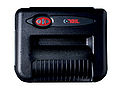 Microflash 8i END OF LIFE Microflash 8i END OF LIFE
|
Receipt 8" Dot-matrix | TA Mobile 5
TA Mobile 6 |
| DataMax O'Neil | 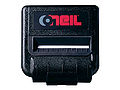 Microflash MF4Te END OF LIFE Microflash MF4Te END OF LIFE
|
Receipt 4" Thermal Printer | TA Mobile 5
TA Mobile 6 |
| Toshiba |  B-EP4DL END OF LIFE B-EP4DL END OF LIFE
|
Receipt 4" Printer | TA Mobile 6
TA Mobile 7 2 (Handheld Compatibility)1 |
| Zebra ZQ520 |  ZQ520 ZQ520
|
Receipt 4" Thermal Printer | TA Mobile 6 (Only Supported on Densos)
TA Mobile 7 (Only supported for Android devices) |
1 This printer is currently only functional with the Denso BHT-1200 rugged handheld device.
Label Mobile Printers
The printers listed below are used for very specific environment and should not be ordered without receiving confirmation from TrackAbout that the application will support the device.
| Manufacturer | Model | Type | Software version |
|---|---|---|---|
| Zebra | RZ400 | RF & Desktop Label Printer | TA Mobile 6 |
| Zebra |  ZT400 ZT400
|
Label 4" Printer | TA Mobile 6, TA Mobile 7 2
(Handheld Compatibility)1 |
| Zebra | ZT410
|
Label 4" Printer | TA Mobile 6, TA Mobile 7 2
(Handheld Compatibility)1 |
1 This printer is currently only functional with the Denso BHT-1200 rugged handheld device.
2 Label printing requires TrackAbout Support to set up label formatting.
Intrinsically Safe Devices
Classes
Class I
Areas in which flammable gases or vapors may be present in sufficient quantities to be explosive or ignitable.
Class II
Areas made hazardous by the presence of combustible dust.
Class III
Areas in which there are easily ignitable fibers or flyings present, due to the type of material being handled, stored or processed-but in which such fibers or flyings are not likely to be in suspension in the air in quantities sufficient to produce ignitable mixtures.
Divisions
Division 1
Normal Situation: A hazard is present in the everyday normal production operation or during frequent repair and/or maintenance activity.
Division 2
Abnormal Situation: Potentially hazardous material is expected to be safely confined within closed containers or closed systems, and will be present in the atmosphere only through accidental rupture, breakage, or abnormal operation.
Groups
Group A, B, C & D
Gases and vapors in Class 1 locations are classified into four groups, by the code A, B, C, and D. These materials are grouped according to the ignition temperature of the substance, its explosion pressure and other flammability characteristics.
Groups E, F & G
Combustible dust in Class II locations are classified according to ignition temperature and the conductivity of the hazardous substance.
