
WARNING: The TrackAbout MetaWiki has been deprecated and is no longer being updated.
Please visit our new TrackAbout Knowledge Base at https://supportkb.trackabout.com for the most-up-to-date documentation on TrackAbout and TrackAbout Mobile.
My Setup
Jump to navigation
Jump to search

My Setup
My Setup is where you can control your user account, including changing your password and customizing the Quick Search box.
Change Your Password
- Go to the My Password page
- Type “My Password” in the Jump To box or use the menu bar and click My Setup > My Password
- Type “My Password” in the Jump To box or use the menu bar and click My Setup > My Password
- Reset your password by typing in your old password, then typing in your new password twice

If you are locked out of your account, you can use the Forgot My Password link on the TrackAbout login page.

Otherwise, contact your local TrackAbout Administrator to re-establish access to your account.
My Preferences (My Prefs)
Choose Number of Rows Displayed

On any page that displays a table, you can choose how many rows are displayed at a time.
- Go to the My Preferences page
- Type “My Preferences” in the Jump To box or use the menu bar and click My Setup > My Preferences or click 'My Prefs' on the top navigation pane
- Type “My Preferences” in the Jump To box or use the menu bar and click My Setup > My Preferences or click 'My Prefs' on the top navigation pane
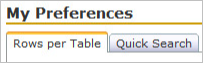
- Make sure the Rows per Table tab is selected
- Enter the number of rows you would like to see at a time in the box
- Click Save
Customize the Quick Search Box
- Go to the My Preferences page
- Type “My Preferences” in the Jump To box or use the menu bar and click My Setup > My Preferences or click 'My Prefs' on the top navigation pane
- Type “My Preferences” in the Jump To box or use the menu bar and click My Setup > My Preferences or click 'My Prefs' on the top navigation pane
- Click on the Quick Search tab
- Check the boxes next to the search functions you want in the Quick Search box
- Choose whether to show the Quick Search box at the top or bottom of the page
- Click Save