Please visit our new TrackAbout Knowledge Base at https://supportkb.trackabout.com for the most-up-to-date documentation on TrackAbout and TrackAbout Mobile.
Asset Registration (Add New)
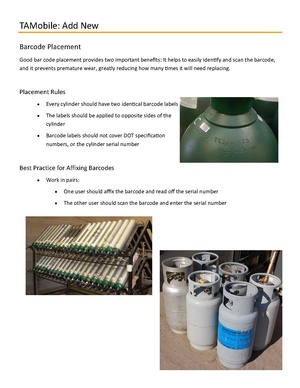
This page provide guidance on the Add New process and applying barcode labels on cylinders.
ADD NEW ASSET
Users add new assets to the system using ‘Add New’ (with lookup) action. Through this action, users can add a new asset as well as edit various details of an existing asset. But unlike the ‘Add New Container’ action, ‘Add New’ supports adding/editing only one asset at a time.
When the client configuration ‘Use Manufacturer To Restrict New Assets’ is enabled a ‘Cyl Manufacturer’ field is also displayed on the first screen along with a text box where we can scan/key in a Barcode or Serial Number. (This is flow seen by Clients using Compact Framework, CF.NET)
TrackAbout also provides the ability to capture Valve Information.
Custom Information (specified by the client) can be collected through the "Add New" process. Review module information for Dynamic Forms