Please visit our new TrackAbout Knowledge Base at https://supportkb.trackabout.com for the most-up-to-date documentation on TrackAbout and TrackAbout Mobile.
High Pressure Telemetry
Overview
This module works by having remote telemetry monitors send readings to TrackAbout’s secure data center. From the TrackAbout site, readings can be viewed and alerts can be sent when certain conditions are met.
The PMI 2000 Monitor

The only monitor in use today is the PMI2000 made by Precision Monitors Inc. It can connect up to 12 sensor leads to one internet connection. The maximum length from a sensor to the monitor box is about 20 feet. Today it accepts readings from pressure sensors, but this could be upgraded to accept readings from other types of sensors like temperature or liquid level sensors as well.
This monitor needs to be connected to the internet to send readings to TrackAbout. This is most commonly done by plugging into a local area network, but if none exists, it is possible to get a satellite internet connection for the monitor. This unit does not connect via cellular or phone line networks, though this could be an enhancement in the future.
The pressure sensors are connected into the high pressure line somewhere. Here one is shown attached to a “T” connection between the pressure gauge and the high side of a regulator. This is the most common connection method.

Reporting
Reports are viewed online using a standard internet browser. Customers may be granted permission to see these reports over the internet. Other 3rd parties that may have an interest in the data – like equipment servicing companies - can also be given permission to view readings.
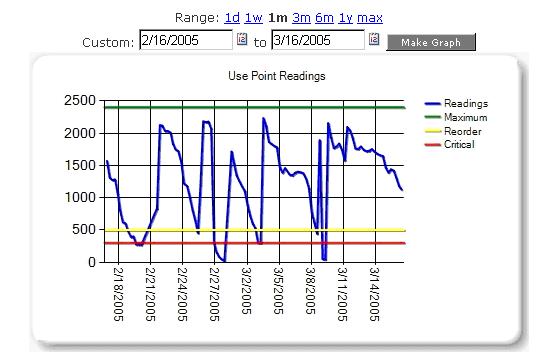
Configure each sensor with maximum, critical, and reorder pressures. 
View all of telemetry devices or just those for one customer. Quickly see which ones are below the reorder point. 
enter text