
Please visit our new TrackAbout Knowledge Base at https://supportkb.trackabout.com for the most-up-to-date documentation on TrackAbout and TrackAbout Mobile.
Difference between revisions of "TrackAbout Certified Devices"
| Line 17: | Line 17: | ||
! TA Mobile 5 (App Forge) | ! TA Mobile 5 (App Forge) | ||
! TA Mobile 6 (CF.NET) | ! TA Mobile 6 (CF.NET) | ||
| + | ! Supported Scanner Symbologies <sup>2</sup> | ||
|- | |- | ||
| Denso | | Denso | ||
| Line 24: | Line 25: | ||
| | | | ||
| Yes | | Yes | ||
| + | | Code 128 | ||
|- | |- | ||
| Denso | | Denso | ||
| Line 31: | Line 33: | ||
| | | | ||
|Yes | |Yes | ||
| + | | Code 128 | ||
|- | |- | ||
| Honeywell | | Honeywell | ||
| Line 36: | Line 39: | ||
| Windows Mobile 6.5 Professional | | Windows Mobile 6.5 Professional | ||
| 5.2.21875 | | 5.2.21875 | ||
| − | |Yes | + | | Yes |
| − | |Yes | + | | Yes |
| + | | Code 39 <br /> Code 128 <br /> Codabar | ||
|- | |- | ||
| Honeywell | | Honeywell | ||
| Line 45: | Line 49: | ||
| Yes (ScanWedge enabled) | | Yes (ScanWedge enabled) | ||
| Yes (ScanWedge disabled) | | Yes (ScanWedge disabled) | ||
| + | | Code 128 | ||
|- | |- | ||
| Honeywell | | Honeywell | ||
| Line 52: | Line 57: | ||
| Yes (ScanWedge enabled) | | Yes (ScanWedge enabled) | ||
| Yes (ScanWedge disabled) | | Yes (ScanWedge disabled) | ||
| + | | Code 128 | ||
|- | |- | ||
| Honeywell | | Honeywell | ||
| Line 59: | Line 65: | ||
| Yes (ScanWedge enabled) | | Yes (ScanWedge enabled) | ||
| Yes (ScanWedge disabled) | | Yes (ScanWedge disabled) | ||
| + | | Code 128 | ||
|- | |- | ||
| Intermec | | Intermec | ||
| Line 66: | Line 73: | ||
| | | | ||
| Yes | | Yes | ||
| + | | Code 128 | ||
|- | |- | ||
| Intermec | | Intermec | ||
| Line 72: | Line 80: | ||
| 5.2.21051 | | 5.2.21051 | ||
| | | | ||
| − | |Yes | + | | Yes |
| + | | Code 128 | ||
|- | |- | ||
| Motorola | | Motorola | ||
| Line 80: | Line 89: | ||
| Yes | | Yes | ||
| Yes | | Yes | ||
| + | | Code 128 | ||
|- | |- | ||
| Motorola | | Motorola | ||
| Line 87: | Line 97: | ||
| Yes | | Yes | ||
| | | | ||
| + | | Code 128 | ||
|- | |- | ||
| Motorola | | Motorola | ||
| Line 94: | Line 105: | ||
| Yes | | Yes | ||
| Yes (Beep issue) | | Yes (Beep issue) | ||
| + | | Code 128 | ||
|- | |- | ||
| Motorola | | Motorola | ||
| Line 101: | Line 113: | ||
| Yes | | Yes | ||
| Yes | | Yes | ||
| + | | Code 128 | ||
|- | |- | ||
| Motorola | | Motorola | ||
| Line 106: | Line 119: | ||
| Microsoft Embedded Handheld 6.5 Professional | | Microsoft Embedded Handheld 6.5 Professional | ||
| 5.2.29128 | | 5.2.29128 | ||
| − | |Yes | + | | Yes |
| − | |Yes | + | | Yes |
| + | | Code 128 | ||
|- | |- | ||
| Motorola | | Motorola | ||
| Line 115: | Line 129: | ||
|Yes | |Yes | ||
|Yes | |Yes | ||
| + | | Code 128 | ||
|- | |- | ||
|Motorola | |Motorola | ||
| Line 122: | Line 137: | ||
| Yes | | Yes | ||
| Yes | | Yes | ||
| + | | Code 128 | ||
|- | |- | ||
| Motorola | | Motorola | ||
| Line 129: | Line 145: | ||
| Yes | | Yes | ||
| Yes | | Yes | ||
| + | | Code 128 | ||
|- | |- | ||
| Psion | | Psion | ||
| Line 136: | Line 153: | ||
| Yes | | Yes | ||
| Yes | | Yes | ||
| + | | Code 128 | ||
|- | |- | ||
| Psion | | Psion | ||
| Line 143: | Line 161: | ||
| Yes | | Yes | ||
| Yes | | Yes | ||
| + | | Code 128 | ||
|- | |- | ||
| Psion | | Psion | ||
| Line 150: | Line 169: | ||
| Yes | | Yes | ||
| Yes | | Yes | ||
| + | | Code 128 | ||
|} | |} | ||
<sup>1</sup> [[Hardware Selection and Repair#Intrinsically_Safe|Intrinsically safe]] or Non-Incendive Equipment : Certified for use in specified hazardous locations by UL (Class I, Division 2) [http://www.ul.com UL Web Site] , ensuring worker safety | <sup>1</sup> [[Hardware Selection and Repair#Intrinsically_Safe|Intrinsically safe]] or Non-Incendive Equipment : Certified for use in specified hazardous locations by UL (Class I, Division 2) [http://www.ul.com UL Web Site] , ensuring worker safety | ||
| + | |||
| + | <sup>2</sup> These are the scanner symbologies tested by TrackAbout. There might be other scanner symbologies enabled on the device by default. | ||
IP rating: [https://en.wikipedia.org/wiki/IP_Code Link IP protection, IP Code, International Protection Marking, also sometimes interpreted as Ingress Protection Marking] | IP rating: [https://en.wikipedia.org/wiki/IP_Code Link IP protection, IP Code, International Protection Marking, also sometimes interpreted as Ingress Protection Marking] | ||
Revision as of 13:36, 1 September 2015
Certified Rugged Handhelds
Windows Mobile and Windows CE devices
For applications other than barcode, please contact TrackAbout Support
Note that certification is only for linear or 1D barcodes
Click on column headings to sort.
| Make | Model | Operating System Name | OS Version | TA Mobile 5 (App Forge) | TA Mobile 6 (CF.NET) | Supported Scanner Symbologies 2 |
|---|---|---|---|---|---|---|
| Denso | BHT-1200 (B12QXC and BHT-1261QWBG-CE) | Microsoft Windows CE | 6.00.0000 | Yes | Code 128 | |
| Denso | BHT-710BWB | Microsoft Windows CE | 5.00.0000 | Yes | Code 128 | |
| Honeywell | Dolphin 9700 | Windows Mobile 6.5 Professional | 5.2.21875 | Yes | Yes | Code 39 Code 128 Codabar |
| Honeywell | Dolphin 9900ni "ni" models | Windows Mobile 6.1 (Intrinsically safe) 1 | Yes (ScanWedge enabled) | Yes (ScanWedge disabled) | Code 128 | |
| Honeywell | Dolphin 99EX | Windows CE Embedded Handheld 6.5 Classic | 5.2.23152 | Yes (ScanWedge enabled) | Yes (ScanWedge disabled) | Code 128 |
| Honeywell | Dolphin 7800 | Windows CE Embedded Handheld 6.5 Classic | 5.2.29049 | Yes (ScanWedge enabled) | Yes (ScanWedge disabled) | Code 128 |
| Intermec | CN70 also available in nonincentive certified (Div. 2) | Windows Embedded Handheld 6.5 Classic CE | 5.2.23152 | Yes | Code 128 | |
| Intermec | CN50 | Windows Mobile 6.1 Professional | 5.2.21051 | Yes | Code 128 | |
| Motorola | MC3190 | Microsoft Windows CE | 6.00.3122 | Yes | Yes | Code 128 |
| Motorola | MC3090 | Microsoft Windows CE | 5.00.1400 | Yes | Code 128 | |
| Motorola | MC75 | Windows Mobile 6.5 Classic | 5.02.21840 | Yes | Yes (Beep issue) | Code 128 |
| Motorola | MC3190 | Microsoft Windows Mobile | 5.02.20962 | Yes | Yes | Code 128 |
| Motorola | MC67 | Microsoft Embedded Handheld 6.5 Professional | 5.2.29128 | Yes | Yes | Code 128 |
| Motorola | MC65 | Windows Mobile 6.5 Professional | 5.02.23145 | Yes | Yes | Code 128 |
| Motorola | MC55 | Windows Mobile 6.5 Classic | 5.2.23121 | Yes | Yes | Code 128 |
| Motorola | MC75 | Windows Mobile 6 Professional | 5.02.1947 | Yes | Yes | Code 128 |
| Psion | WorkAbout Pro | Microsoft Windows CE | 5.00.0000 | Yes | Yes | Code 128 |
| Psion | WorkAbout Pro | Windows Mobile 6.1 Professional | 5.02.1621 | Yes | Yes | Code 128 |
| Psion | WorkAbout Pro3 | Microsoft Windows CE | 5.00.0000 | Yes | Yes | Code 128 |
1 Intrinsically safe or Non-Incendive Equipment : Certified for use in specified hazardous locations by UL (Class I, Division 2) UL Web Site , ensuring worker safety
2 These are the scanner symbologies tested by TrackAbout. There might be other scanner symbologies enabled on the device by default.
Minimum Hardware Requirements for Rugged Devices
TrackAbout customers are not required to use a certified device, but please check with us first. This needs to be evaluated on a case by case basis for the specific device in question. The following list is the minimum requirements for a device we will consider certifying.
- Windows Mobile 6, Windows Embedded Handheld 6.5, or Windows CE 5/6
- CPU - 600 MHz, 1 GHz recommended
- RAM - 256 MB, 512 MB recommended
- Storage/ROM/Flash - 128 MB, 1 GB recommended.
- Screen - 240x320(minimum), 320x480 or higher recommended.
- Barcode scanner (TrackAbout supplied barcodes are Code128)
- Wifi or Cellular data connection recommended
Featured Smartphones
| Make | Model | Operating System Name | OS Version | Features | Supported Scanner Symbologies |
|---|---|---|---|---|---|
| Motorola | TC55 | Android | 4.1.2 | Built in Barcode Scanner and Rugged | [CameraScanner-Code39,Code128,QRCode,DataMatrix] [HardwareScanner-Code39,Code128] |
For details on the hardware requirements for smartphone, please see the Android or iOS pages.
Certified Printers
Important Note. Before ordering a printer, please contact TrackAbout Support to confirm that the printer will work with your TrackAbout versions and mobile devices.
Proof of Delivery Receipt - Mobile Printers
Below are the TrackAbout certified mobile printer for TA Mobile 5 and TA Mobile 6 Proof of Delivery (POD) Receipt.
If there are any new printers which you would like to have certified, it will require new code and is a big, costly job. Reach out to your TrackAbout Support representative to get an estimate of cost for the printer you'd like to use.
| Manufacturer | Model | Type | Supported Software |
|---|---|---|---|
| DataMax O'Neil | 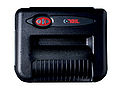 Microflash 8i Microflash 8i
|
Receipt 8" Dot-matrix | TA Mobile 5
TA Mobile 6 |
| DataMax O'Neil | 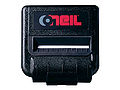 Microflash 4T and Microflash 4 Te Microflash 4T and Microflash 4 Te
|
Receipt 4" Thermal Printer | TA Mobile 5
TA Mobile 6 |
Label Mobile Printers
The printers listed below are used for very specific environment and should not be ordered without receiving confirmation from TrackAbout that the application will support the device.
| Manufacturer | Model | Type | Software version |
|---|---|---|---|
| Toshiba | B-EP4 | Receipt Printer | TA Mobile 6 (custom) |
| Zebra | RZ400 | RF & Desktop Label Printer | TA Mobile 6 (custom) |