
WARNING: The TrackAbout MetaWiki has been deprecated and is no longer being updated.
Please visit our new TrackAbout Knowledge Base at https://supportkb.trackabout.com for the most-up-to-date documentation on TrackAbout and TrackAbout Mobile.
Difference between revisions of "Windows Embedded 6.5"
Jump to navigation
Jump to search
| Line 32: | Line 32: | ||
===Set Handheld Name=== | ===Set Handheld Name=== | ||
<span style="color:#FF0000">'''''Note: When setting a handheld name, make sure that it is meaningful for your organization, and that it matches any label that you affix to the outside of the handheld.'''''</span><br/> | <span style="color:#FF0000">'''''Note: When setting a handheld name, make sure that it is meaningful for your organization, and that it matches any label that you affix to the outside of the handheld.'''''</span><br/> | ||
| + | <br/> | ||
Start -> Settings -> System -> About -> Device ID<br/> | Start -> Settings -> System -> About -> Device ID<br/> | ||
<br/> | <br/> | ||
Revision as of 11:31, 14 November 2012
Windows Embedded 6.5
Screenshots
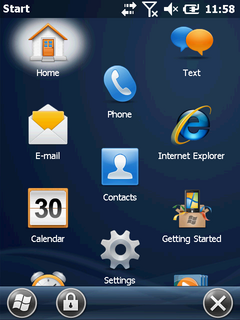
Start Screen from Intermec CN70
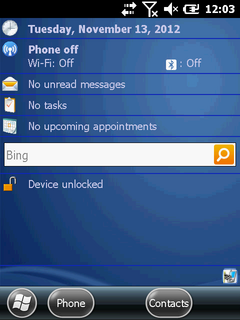
Home Screen from Intermec CN70


Versions
- Windows Embedded 6.5
- Windows Embedded 6.5.3
Sync Software
- ActiveSync 4.5
- Windows Mobile Device Center
Handhelds
Frequent Features
Find OS Version
Start -> Settings -> System -> About -> Version
Set the Date and Time
Start -> Settings -> Clocks and Alarms
From the Home screen, touch the date to open the Clocks and Alarms screen
Set Handheld Name
Note: When setting a handheld name, make sure that it is meaningful for your organization, and that it matches any label that you affix to the outside of the handheld.
Start -> Settings -> System -> About -> Device ID
Lock Handheld
Start -> Settings -> Lock